Announcement

Collapse
No announcement yet.

Cannot bind Dx6i to Blade 120Sr

Collapse
X
 
  • Filter
  • Time
  • Show
Clear All
new posts

  • Cannot bind Dx6i to Blade 120Sr

    I got my new Dx6i,Blade 120SR and the phoenix sim today. I was able to bind the Dx6i and the 120SR. Then I installed the Sim and after tried to operate the heli but the bind was lost.

    I am getting a flashing light and no matter what I do the bind is lost. Any Ideas?

    This is my first adventure into this hobby and already I am stressed !

    Paul

  • #2
    Sound like your on wrong model

    Model1) sim
    Model 2) 120sr
    Santander Factory Team

    Proud wearer of 5 x EGS

    Comment


    • #3
      Originally posted by GIXERMAN View Post
      Sound like your on wrong model

      Model1) sim
      Model 2) 120sr
      i even tried to setup a new model and tried to re-bind to no avail.

      Comment


      • #4
        Originally posted by pjos11 View Post
        I got my new Dx6i,Blade 120SR and the phoenix sim today. I was able to bind the Dx6i and the 120SR. Then I installed the Sim and after tried to operate the heli but the bind was lost.

        I am getting a flashing light and no matter what I do the bind is lost. Any Ideas?

        This is my first adventure into this hobby and already I am stressed !

        Paul
        Create one model named (Sim) then go on model select and name the other one (120sr), while on the 120sr turn the transmitter off and power up the 120sr, then hold the bind switch on while turning the transmitter on, it should bind after bout 5/20 seconds, For the SIM MAKE Sure that you change your model on the model select, then go onto the Model (Sim) You made, then turn off the transmitter and plug in the phoenix cable, then your sorted,
        Make sure you change the model each time bud! If you need more help check out my Website and contact me on 3Flite.moonfruit.co.uk

        Comment


        • #5
          Basically what you have described is the binding procedure which I have done, but it still won't work.

          I am using the Phoenix Sim fine, I just can't bind the 120SR.

          thanks

          Comment


          • #6
            Originally posted by pjos11 View Post
            Basically what you have described is the binding procedure which I have done, but it still won't work.

            I am using the Phoenix Sim fine, I just can't bind the 120SR.

            thanks
            Okay, well your not doing anything wrong, there may be a problem with a circuit board, If i was you i would ring the lads at horizon hobby in the morning, they are champion lads and they will solve it buddy!

            Comment


            • #7
              Yup. Although I haven't needed to call them myself I have also heard they are great. I am sure they will sort it. Sorry we couldn't help.
              Paul

              MCPX
              E-Flight Blade 450X / AR7200BX
              Align Trex 450 Pro DFC / AR7200BX

              Planks - WOT 4 Foam E

              Comment


              • #8
                Seems odd that it bound the first time. To be clear, you have the sim configured for model 2 (say) and the 120SR configured for model 1?

                The phoenix cable is not plugged in at all, you power up the 120SR, then hold the trainer switch and turn on the TX?

                That's how it should work ....
                Tom
                sigpic Synergy E7SE - Kontronic Helijive 120+ ESC, vBar Neo
                SAB Goblin 630 Competition
                - Castle Edge 120HV, vBar Neo
                Blade 700X - Castle Edge 160HV ESC, Mini vBar
                Logo 550SXv2 - Castle 130LV ESC, vBar Neo
                .... and a Gaui X3
                Spektrum DX8 ; Mikado VBC ; RealFlight 7 & neXt sims
                ... and two EGS'


                Comment


                • #9
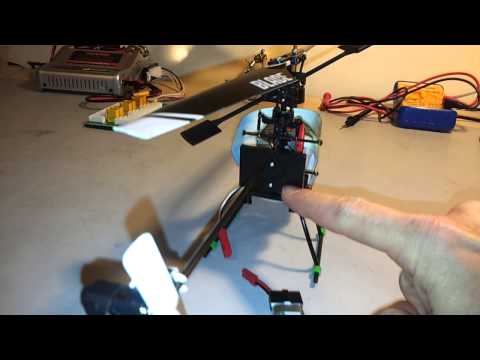
                  Just so peeps knows... Paul PMed me earlier and I did a quick and dirty video on my binding my DX6i to my 120SR and Paul said that is exactly what he is doing so unless we have all missed something I suspect that something is faulty.

                  Have we missed something?

                  Paul

                  MCPX
                  E-Flight Blade 450X / AR7200BX
                  Align Trex 450 Pro DFC / AR7200BX

                  Planks - WOT 4 Foam E

                  Comment


                  • #10
                    Originally posted by PaulChurchley View Post
                    Just so peeps knows... Paul PMed me earlier and I did a quick and dirty video on my binding my DX6i to my 120SR and Paul said that is exactly what he is doing so unless we have all missed something I suspect that something is faulty.

                    Have we missed something?

                    I think we a certainly right in the procedure, i believe that it is a fault and ring horizon will be the best thing to do!

                    Comment


                    • #11
                      Re: Cannot bind Dx6i to Blade 120Sr

                      My 130x wont bind to my tx if its too close to the antenna (wont bind at all now the board is broken :/).

                      Try with a few different angles and distances and it may work.
                      Trex 700n DFC - YS120, Spartan Vortex
                      Gaui X5 - Spartan Vortex


                      Comment


                      • #12
                        Stan Has a good point perhaps that is the answer!

                        Comment


                        • #13
                          you need to put the transmitter into helicopter mode maybe?
                          In the film it was in aeroplane mode

                          Comment


                          • #14
                            The Blade recommendation is to bind in aeroplane mode but I do bind in heli mode on my DX8. It should work either way.

                            I suggested distance too. Mine won't bind at all if it is too close but I think Paul has tried moving further away. Still worth trying yet more distances and angles I suppose just in case...
                            Paul

                            MCPX
                            E-Flight Blade 450X / AR7200BX
                            Align Trex 450 Pro DFC / AR7200BX

                            Planks - WOT 4 Foam E

                            Comment


                            • #15
                              As its a fixed pitch 4 channel heli, plane mode is fine to use like on the mSRX, I would also say try binding with heli at some distance (a few meters with antenna at 90 angle) if its not that then its probable the board gone faulty.
                              Blade mSRX
                              Blade Nano CPX
                              Blade 130x
                              Blade 300x
                              DX6i
                              Phoenix v4 + simstick

                              terraclean-sussex.co.uk

                              Comment

                              Working...
                              X