Announcement

Collapse
No announcement yet.

ZYX-s PC connection problems

Collapse
X
 
  • Filter
  • Time
  • Show
Clear All
new posts

  • ZYX-s PC connection problems

    Hi folks,

    Apologies if you've read this on HG forum but I'm stumped.

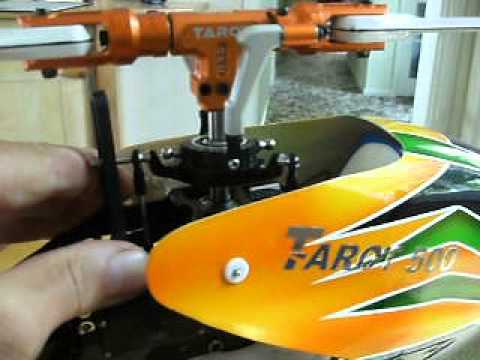
    I had a pretty good day at the club on Sunday with the Tart 500FBL but would like to do some tweaks to the ZYXs gyro but for some unfathomable reason it won't connect to either of my laptops now. I've reinstalled the usb driver (com3) and John's programming software but just can't get it to connect to the ZYX


    I know it's something small and dumb but maybe one of you can spot / suggest where I can look next :?:
    Many thanks, Marty
    Last edited by mole hunter; 24-07-2013, 01:42 PM.
    Marty

    Member https://delynmfc.bmfa.org


    Westland Wessex scratch build http://www.scalerchelis.com/phpBB2/v...hp?f=9&t=14762
    Westland Wasp scratch build https://www.scalerchelis.com/phpBB2/...hp?f=9&t=18668
    Vario Benzine Trainer, Trex 250, Blade Nano. BMFA 'B' cert

  • #2
    Go to your device manager, open 'Ports (com & LPT), plug the USB/Serial dongle in and see which port is assigned. I think the ZYX software sometimes has problems with ports above #4, so if it's higher than port 4, right click the device, 'properties', 'port settings', 'Advanced' and change the port to between 1 and 4 (you can do this even if the port is already in use). Unplug and reconnect the dongle and make sure the new port is between 1 and 4, then open the ZYX software, select that port and see if it connects.

    Comment


    • #3
      Hi Gixxer,
      Thanks for that. Here's what I've got and it all seems in order. Com port 3 comes up on John's programme and the usb dongle sends out when I click on the connect tab but the ZYX just doesn't respond. It's like it won't go into its setup mode. I'd try and do a reset to factory spec if I knew how. The reset button doesn't seem to do anything.

      Click image for larger version

Name:	Com port.JPG
Views:	1
Size:	47.1 KB
ID:	1878630

      Cheers, Marty
      Marty

      Member https://delynmfc.bmfa.org


      Westland Wessex scratch build http://www.scalerchelis.com/phpBB2/v...hp?f=9&t=14762
      Westland Wasp scratch build https://www.scalerchelis.com/phpBB2/...hp?f=9&t=18668
      Vario Benzine Trainer, Trex 250, Blade Nano. BMFA 'B' cert

      Comment


      • #4
        Is it possible you could have the 4 pin plug upside down on the dongle?

        Comment


        • #5
          No, it's keyed and it'll only go in one way. What foxes me is that it was connecting fine and then all of a sudden it fails to connect on both of my laptops, one on Windows7 and the other on XP. I guess I could try the Tarot programme.

          Thanks again, Marty
          Marty

          Member https://delynmfc.bmfa.org


          Westland Wessex scratch build http://www.scalerchelis.com/phpBB2/v...hp?f=9&t=14762
          Westland Wasp scratch build https://www.scalerchelis.com/phpBB2/...hp?f=9&t=18668
          Vario Benzine Trainer, Trex 250, Blade Nano. BMFA 'B' cert

          Comment

          Working...
          X