Announcement

Collapse
No announcement yet.

How to connect PL8 to PC

Collapse
X
 
  • Filter
  • Time
  • Show
Clear All
new posts

  • How to connect PL8 to PC

    Need to ask - how do you connect the PL8 to the PC?
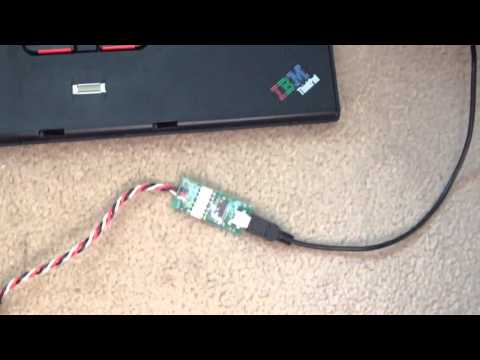
    I have the USB Dongle, but when I connect it to the PC (other end connected to PL8), it blinks a few times then goes off. Is it supposd to stay lit?
    Is the software supposed to tell me if/when it's connected?

    I'm running this on a windows xp laptop.

  • #2
    Have you downloaded the software to your PC, plugged in the USB lead to your PC and the dongle to let it recognise it?

    Then plug the dongle into the little plug on the back (make sure you plug it in the right way as it can plug in either way round) of the PL8, turn on the PL8 and bingo, you should be away.
    Paul


    Blade 130x - Smallest heli, biggest PITA.
    Syma SO33G - Co-Axial ('nuff said, sorry)
    Align Trex 550e DFC v3 - Mini vBar v5.3.4 PRO - Kontronik Jive 100+ LV - 5000mAh 6S (Murderous devil spawned attack drone!) Broken....again!!
    Align Trex 700e HV DFC Super Combo - Mini vBar v5.3.4 PRO - Castle ICE2 120HV v3.56.17
    - Gryphon Quasar BEC - TM1000 Telemetry - 5000mAh 12S
    DX7s .
    PL8 v3.31
    RF 7 & Exp' Pack 8. v7.00.036.
    Phoenix v5.0.p

    Porscheboy on Google+ . Porscheboy on YouTool (Only if you're really bored ).

    South Hants Helis (SHH) on Facebook
    Proud to have been there since the start.


    Artificial intelligence is no match for natural stupidity.

    Comment


    • #3
      Have you installed the driver for the USB device?

      There is a link to the driver from within the Charger Control Software.

      http://www.revolectrix.com/new_appli...ftware_v2.html

      Comment


      • #4
        Make sure your PL8 is plugged in to your PSU.

        Ask me how I know!!!


        sigpic X 2


        Comment


        • #5
          ^^haha! yep, it's all plugged in and running... but on the PL8, there is a sticker: SPG (I'm guessing stands for Signal, Positive and Ground) so i plug the servo type connector accordingly but the usb just flashes red a few times then turns off. (maybe i am plugging it wrong and i'll have to retry it tonight)

          and yep - i downloaded the drivers from the link from the actual software.

          Comment


          • #6
            Downloaded software and installed and plugged in without a problem

            Comment


            • #7
              If its not working.. just check the computer has installed it right. Open start menu.. right click on "my computer" click device manager.. with the dongle plugged in if theres a problem a yellow triangle should appear on a usb / com port thing. Right click on it and click install driver.. choose manual and find the driver and install... i download the driver to desktop so its easy to find.

              Once thats done the software should say "com4 open" or something along those lines.. plug into pl8 amd should all work.. it takes a moment though to activate as its a serial communication link
              Matt
              Goblin 500 Sport
              Owner of
              One E.G.S.

              Comment


              • #8
                Also check what dongle your using.. theres a fuim 2 and 3.. 3 works with newer computers but not sure how backward compatible it is with xp etc. Also you have to use the correct drivers and software depending on what dongle you have iirc
                Matt
                Goblin 500 Sport
                Owner of
                One E.G.S.

                Comment


                • #9
                  I forgot to check this out last night.. but Com Port 3 Open (and so on) message shows up...

                  Comment


                  • #10
                    I've given up for now! This is what I get when I plug the USB:

                    Comment


                    • #11
                      How to connect PL8 to PC

                      Originally posted by muscleflex View Post
                      I've given up for now! This is what I get when I plug the USB:
                      I had this problem with my PL6. I got round it by connecting the pc to the pl6 with the software opened on the pc, BEFORE I switch my psu on to power the pl6. It then seems to connect without issue to the software.

                      Good luck!

                      Cheers
                      Dom
                      BIG BAD DOM
                      Compass 7HV, Compass 4926-510KV motor, AR7200BX, Castle Ice2 120HV, MKS BLS950/980 servos
                      Mikado Logo 600SE Uvular,
                      Scorpion HK4035-330KV, Ikon flb, 12s setup
                      SAB Goblin 500, Quantum 4115-1200KV motor, AR7200BX, Kontronics Koby 90, MKS DS9670A+ servos, Align DS650
                      Eflite Blade 130X, 8000kv outrunner, all Lynx upgrades including DFC head

                      Comment


                      • #12
                        I do not have an issue plugging in at anytime (except when actually charging), but I normally launch the S/ware, plug in the USB and then plug the mini USB into the dongle PCB and allow it to recognise the dongle. I keep my dongle plugged into the PL8 and velcro'd to the top of the PL8

                        When you look down onto the PL8 from above with the fans away from you, the white wire from the little 3pin dongle plug (plugged into the port almost halfway down the back of the PL8) should be the left most wire with the red in the middle and the black on the right.

                        One other thing to check, try a different "USB to mini-USB" lead, it might be the lead (if you haven't already).

                        If that doesn't work see if you can borrow a "known working" dongle to check if the PL8 is suspect (you posted earlier you have d/loaded and installed the correct dongle drivers?).
                        Paul


                        Blade 130x - Smallest heli, biggest PITA.
                        Syma SO33G - Co-Axial ('nuff said, sorry)
                        Align Trex 550e DFC v3 - Mini vBar v5.3.4 PRO - Kontronik Jive 100+ LV - 5000mAh 6S (Murderous devil spawned attack drone!) Broken....again!!
                        Align Trex 700e HV DFC Super Combo - Mini vBar v5.3.4 PRO - Castle ICE2 120HV v3.56.17
                        - Gryphon Quasar BEC - TM1000 Telemetry - 5000mAh 12S
                        DX7s .
                        PL8 v3.31
                        RF 7 & Exp' Pack 8. v7.00.036.
                        Phoenix v5.0.p

                        Porscheboy on Google+ . Porscheboy on YouTool (Only if you're really bored ).

                        South Hants Helis (SHH) on Facebook
                        Proud to have been there since the start.


                        Artificial intelligence is no match for natural stupidity.

                        Comment

                        Working...
                        X