Announcement

Collapse
No announcement yet.

Clicky throttle stick

Collapse
X
 
  • Filter
  • Time
  • Show
Clear All
new posts

  • Clicky throttle stick

    Hi all, my name's Gary and I'm new here and new to rc helicopters.

    I've jumped straight into the hobby with a Honey Bee CP3. I'm getting on quite well, practising on a sim + hovering in the garage with the heli tethered on 4 bits of loose string. Been at it about a week and thoroughly enjoying the learning.

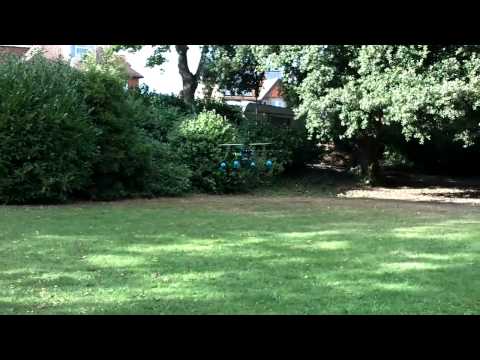
    Today I took it outside without the string, just training gear. managed some crisis free although not sweat free hovering on a lawn.

    One of the problems I have found both in the garage and outside is a "Clicky" throttle stick. I assume this is some sort of friction device on the throttle axis inside the transmitter. On one click the heli is hovering 3 inches above the grass, on the next click it climbs at about 1 foot per second, no happy medium. As the battery declines I can briefly find a groove but it is brief...any suggestions?

  • #2
    Hi Gary welcome to the forum. Sorry I am too new myself to be able to help with your throttle question but there will be someone who can help along soon. We are a friendly bunch and there is some really good help and advice available on here.

    You look to have made a good start that is an impressive first hover (imho!).

    Happy landings.
    Central Model Heli Club. #keeprchelisalive

    ​Guinness World Record Pilot 2013!

    sigpic thank you.

    Comment


    • #3
      There's a ratchet plate on the throttle stick. You need to open the tx and remove or loosen it to remove the ratchet action. There should be a smooth setting somewhere on the tx
      Invertix 400
      Vortex 285
      TBS Discovery Endurance
      X4 II
      Schluter Champion Longranger
      G4 E720
      G4 E720 Big AIR edition
      Goblin Urukay super slow
      Goblin 700 KSE Slow
      Goblin 700 KSE Fast
      Srimok Faifa
      Spectra G
      Synergy 766
      I'm not controlling it, just preventing it from crashing
      http://mangled-rc.com/

      Comment


      • #4
        you could certainly open up the back of the old esky transmitters and do away with the ratchet.

        Thats not the only problem though, or at least certainly not with the honeybee cp2. For a nice stable hover on a cyclic pitch heli, you really need a constant head speed. Mine was always still increasing the headspeed with collective around the hover, which is a double problem, one click up and the head speeds up as well as more pitch so you go up, one click down and it slows down and drops to earth...

        you can fix this when you are a bit more confident by learning to use idle up (constant headspeed) combined with throttle hold for landing, but thats a little way from where you are tbh.

        Take the back of the transmitter (if you are willing to risk the warranty of course) and take a photo, we will show you the bit to remove, though its probably going to be pretty obvious once you open it.

        Nice hovering btw... I remember those days, and not so long ago either
        James
        Logo 600 3D --- Vortex Vx1n
        JR Forza 700 --- Vortex Vx1e

        Team Macgregor flight team and Magregor industries field rep

        Co-founder of South Hants Helis - and now on Facebook
        And the proud wearer of one

        Comment


        • #5
          What I did was I opened the back of the tx, took the small metal plate off which rubs against the notchy bit, and then just get some sand paper and sand off the notches so it becomes nice and smooth. Then screw the metal bit back on, and off you go

          Comment


          • #6
            Hi Gary, welcome to the forum and the hobby!!

            See below pic of a typical TX insides, the silver spring is what you need to either bend or sand under. The plastic on the back of the gimbal (stick) will have teeth like a gear and you can either bend the metal so it is flat or as Sams says sand off the teeth. If the stick is not too loose when you take off the metal spring you could even leave it off.

            Ratchet mod.jpg

            p.s. I'd put the canopy on when you're learning as it will help with your orientastion, never a good idea to fly without the canopy as a rule.
            Neil

            1 x


            Raptor 30, OS32, on its way to being FBL (and leccy?)
            Trex 450 Pro, Beastx, Savox 0257, DS520
            Blade 180CFX

            DX9 & DX7
            Too many planks...

            Comment


            • #7
              Thanks all

              Ratchet sorted. I took out the spring and flattened the tooth and put a gentle curve on the friction part. It still gives some friction but without the clicky feel.

              Flying without the canopy is laziness on my part, point taken and it makes sense.

              I did inadvertently flick the idle up switch the other day whilst changing batteries. The heli was fortunately tethered at the time....it took me a while to figure out what I'd done.

              Thanks all.

              Comment

              Working...
              X